The platform our clients run their technology on.
Research on your own, then see everything we buy and manage for you: projects, orders, renewals and providers. One sign-in. No vendor sees you browse.
Not a client yet? Book a conversationBrowse the public catalogSoftware vendor? List your solution
Real Hub screen. Client names, IDs and numbers are replaced.
Research the market without the sales calls.
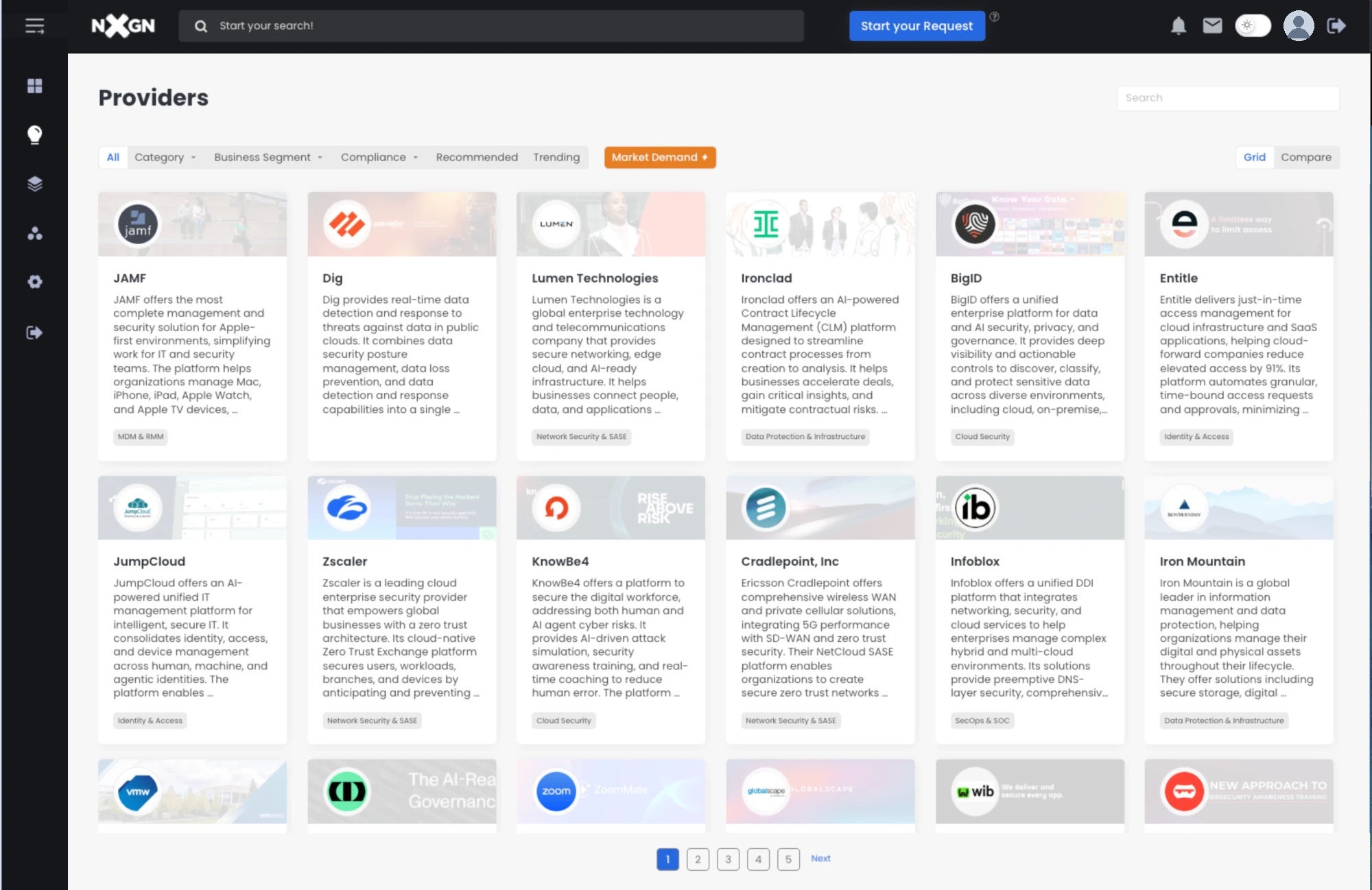
The whole market, in one catalog. Search it, filter it, then compare the options.
About 2,470 solutions in 195 categories.
Every solution has an overview, screenshots and a video, so you can learn what it does before you talk to anyone.
- A short overview and a category tag on every provider card
- Filters by category, business segment and compliance, plus Recommended, Trending and Market Demand views
- Ask for a demo, MNDA, proof of value or quote from the same page
Real Hub screen. Client names, IDs and numbers are replaced.
Search from the top of the Hub.
The search bar sits at the top of the main Hub screens. Type a product, a provider or a problem. If you want a person to help, click Start your Request.
Put the options next to each other.
In the providers catalog, switch from Grid to Compare. Then look at your short list side by side before the first demo.
Everything you own, and when it renews.
What we buy for you shows up in your Hub. So do the dates that matter.
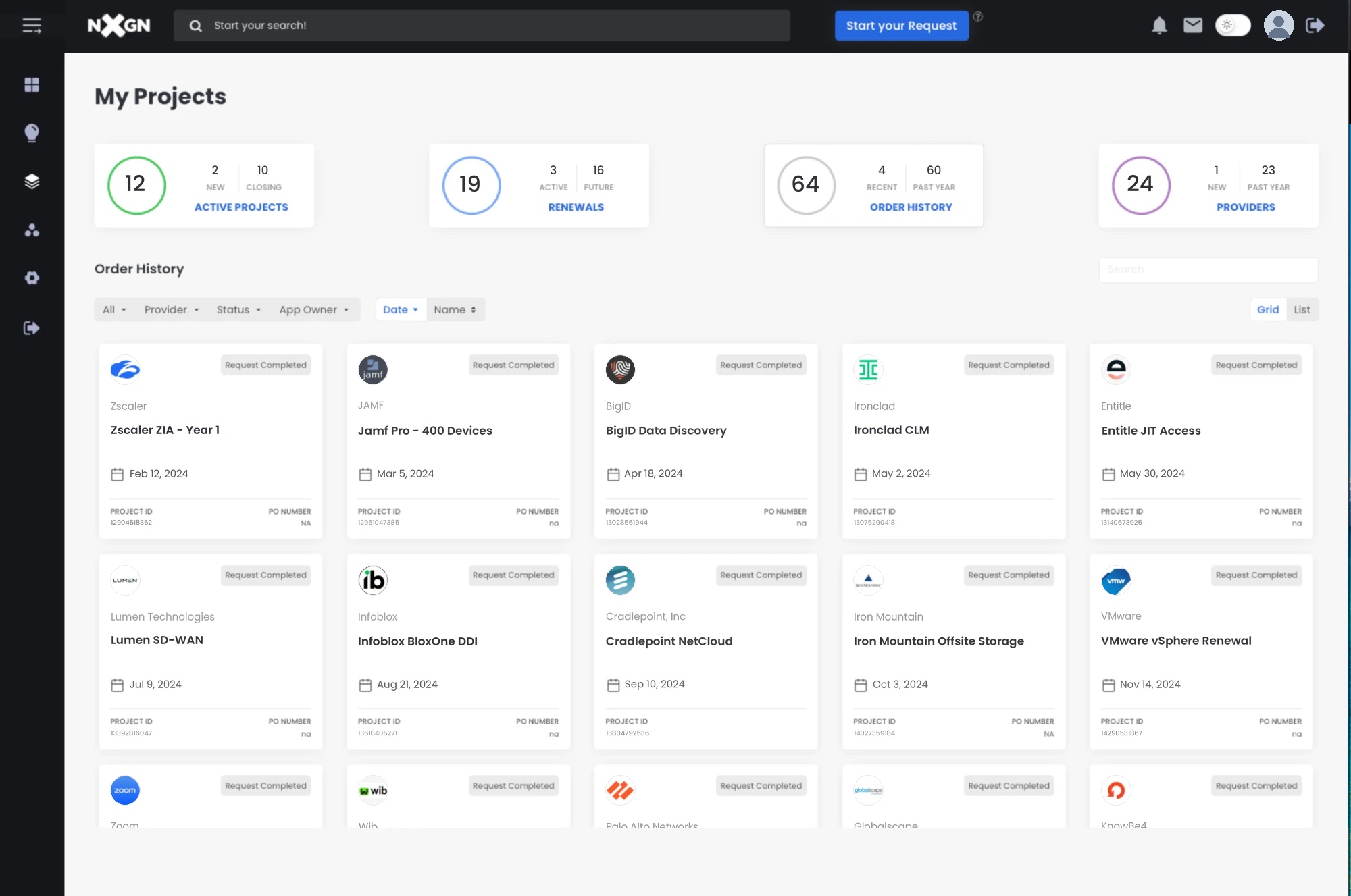
Every order, with its PO number.
Find the paper fast when finance, audit or a new manager asks. Each order shows the provider, the date, the project ID and the PO number. Filter by provider, status or app owner.
Real Hub screen. Client names, IDs and numbers are replaced.
No more surprise auto-renewals.
Every renewal in one list, with its due date, status and requestor. We flag the big ones early and check the market again before you sign.
- Status at a glance: Quote Sent, Future Renewal, Renewal Due Soon
- Filters by provider, status, date range and app owner
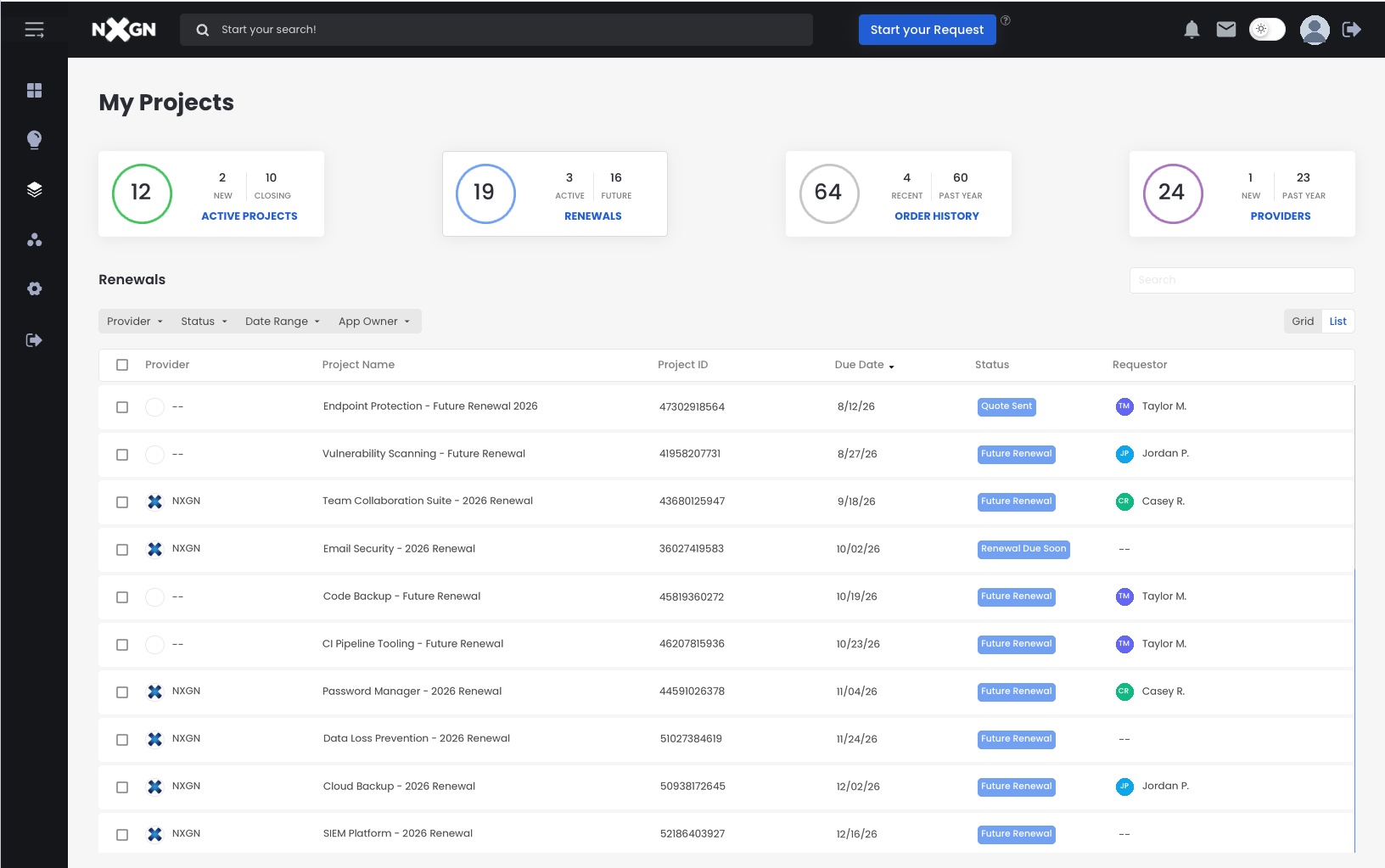
Real Hub screen. Client names, IDs and numbers are replaced.
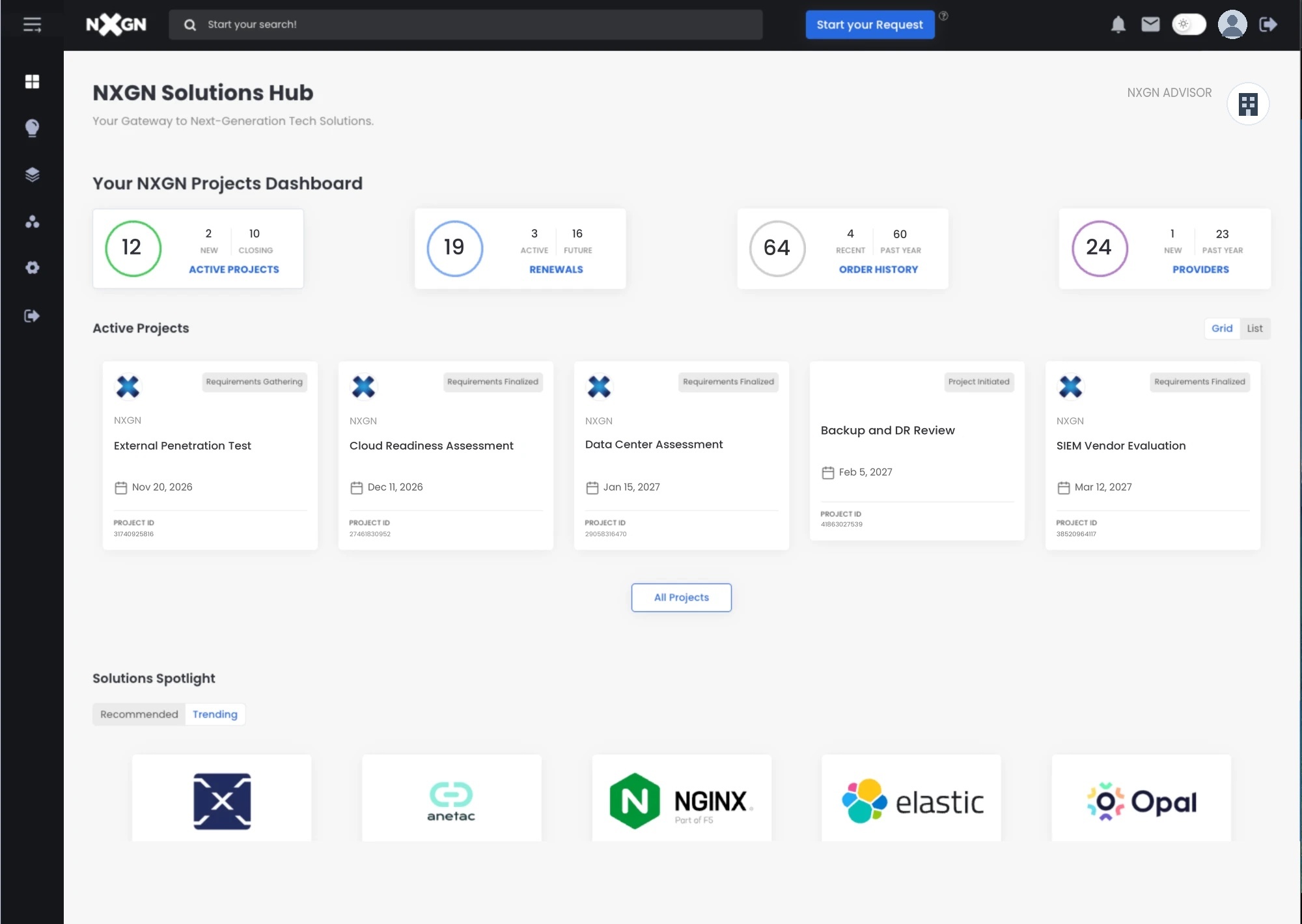
Every project and provider, on one dashboard.
Each active project shows its stage and its date. Counters show new and closing projects, renewals, recent orders and providers.
- Project stages, from Project Initiated to Requirements Finalized
- Solutions Spotlight: Recommended and Trending solutions
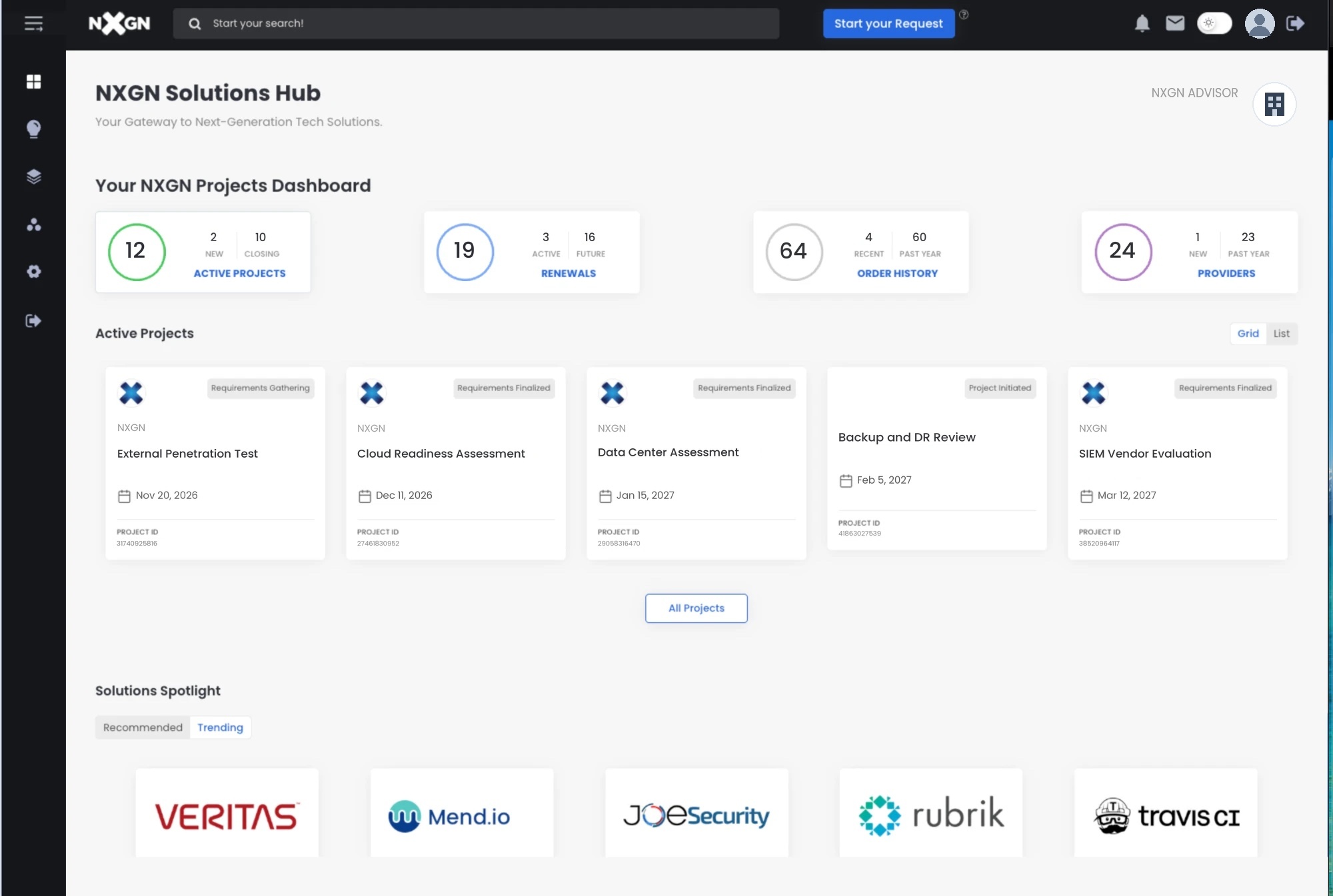
Real Hub screen. Client names, IDs and numbers are replaced.
Know your cyber risk. Every month.
Answer guided questions online. Get a report with maturity and risk scores against an industry benchmark, an executive summary, and a remediation plan ranked by priority. Subscribe to track it over time.
- AnswerGuided questions about your controls.
- See the scoresBy discipline, against a benchmark.
- Get the planRecommendations with a priority and a timeline.
Pricing: ask us.
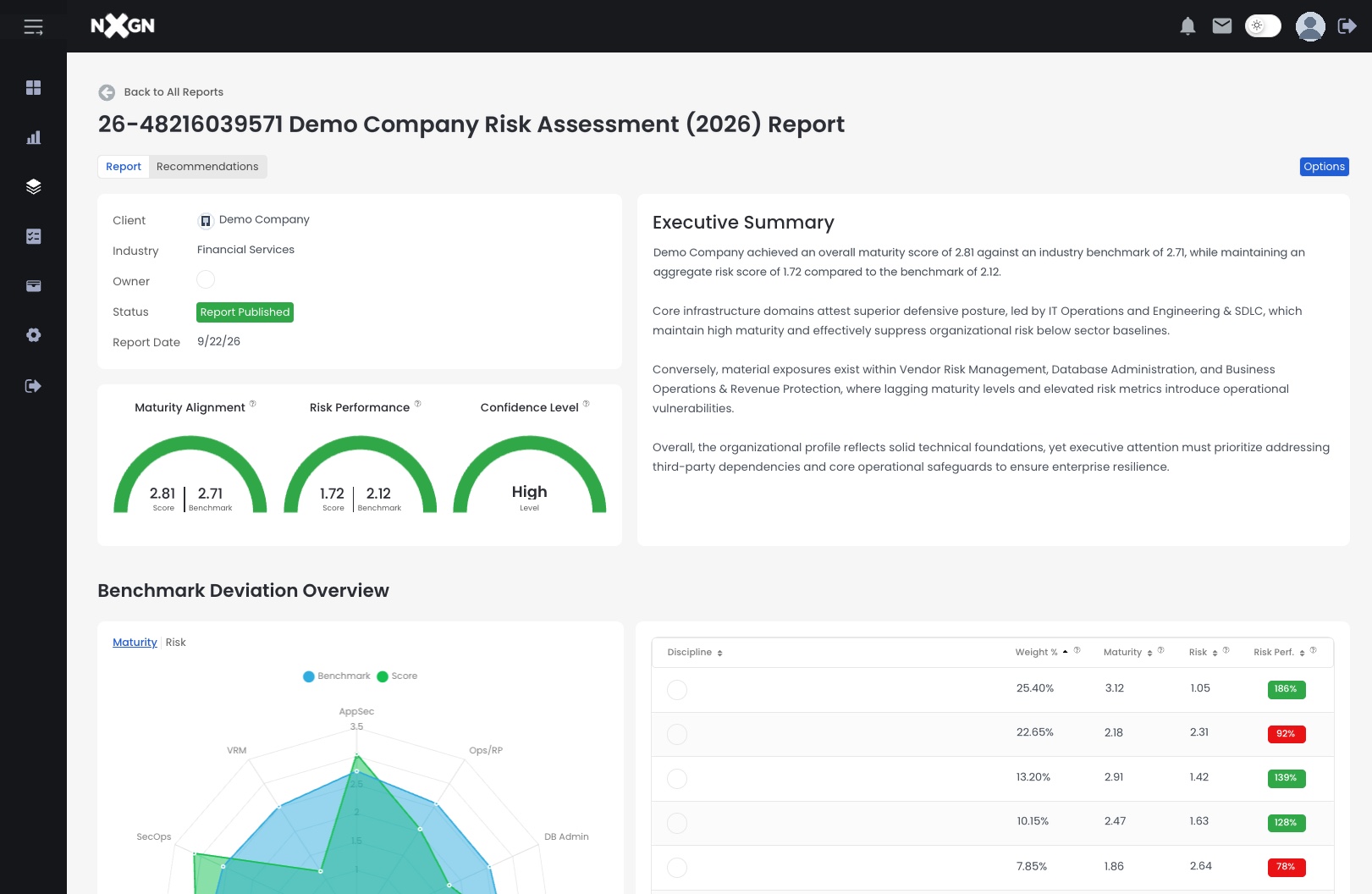
Real Hub screen. Client names, IDs and numbers are replaced.
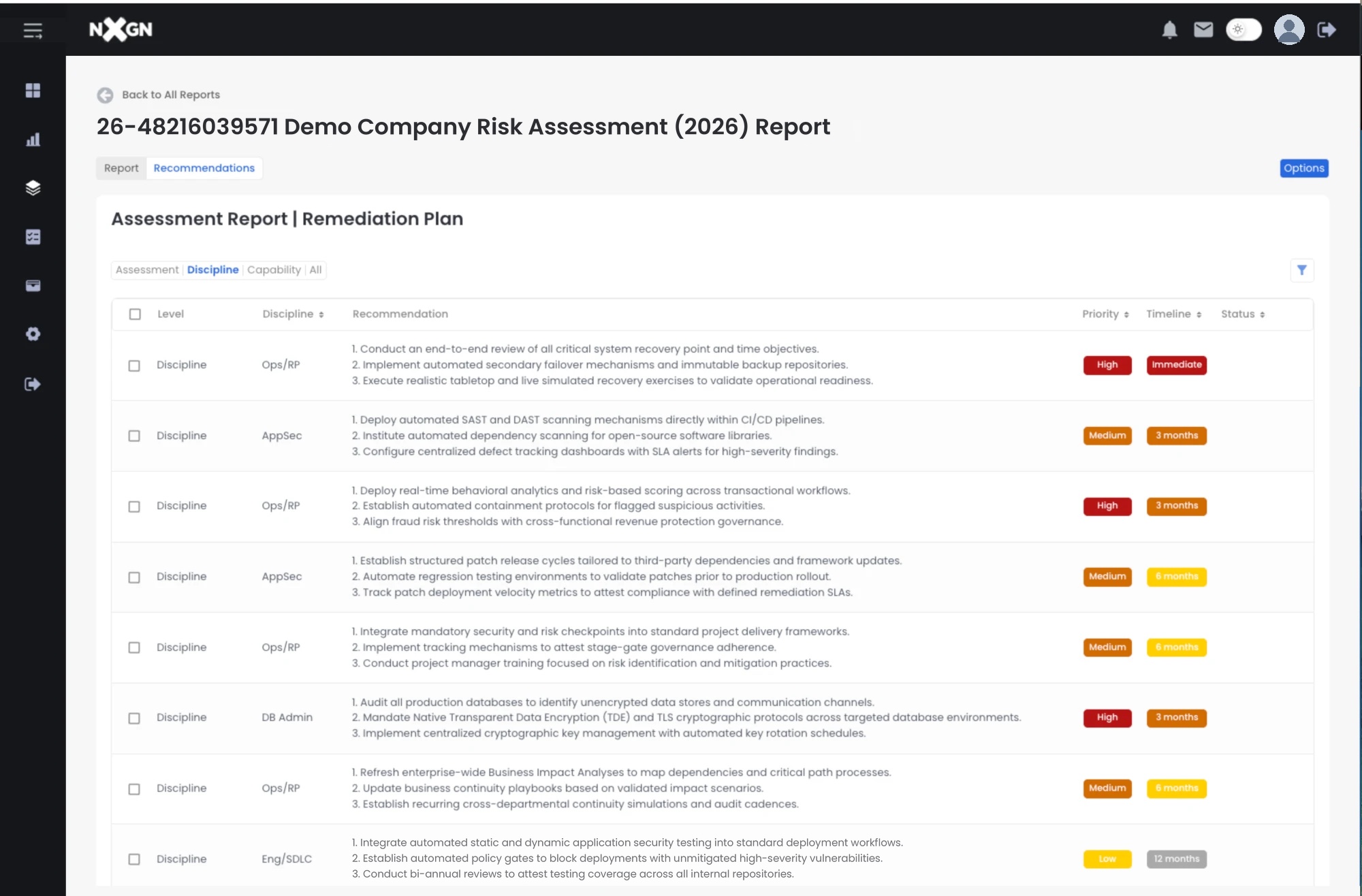
Real Hub screen. Client names, IDs and numbers are replaced.
How clients get in.
The Hub comes with working with NXGN. Here is how it starts.
- Talk to an NXGN advisorA short call about what you buy and what is coming up.
- We set up your HubWe load your orders, renewals and providers, so it is useful on day one.
- Your team signs inSign in to the Hub.
An NXGN advisor replies within one business day.
Who can use the Solutions Hub?
NXGN clients and the people they invite. Anyone can browse the public catalog of solutions. Projects, orders, renewals, providers and the risk assessment need a client sign-in.
Is it free for clients?
Yes, the Hub is part of working with NXGN. The risk assessment is a paid subscription.
What happens to our data?
Your orders, stack and assessment answers are visible only to your company and your NXGN team. We never sell or share them.
Is AI search trained on our data?
AI search reads the public catalog and your own Hub data to answer you. Your data is not used to train outside models.
Will vendors see that I looked at their product?
No. You can browse, search and compare without a vendor knowing. A vendor meets you only when you ask for a demo, quote or proof of value.
 Book a conversation
See the Hub with your own data.
A short call with an NXGN advisor. We show you the Hub, and what it would hold for your team.